FleetSmart.APP
A fleet management application project focused on organizing operational records, supporting administrative workflows, and making fleet information easier to find and manage.
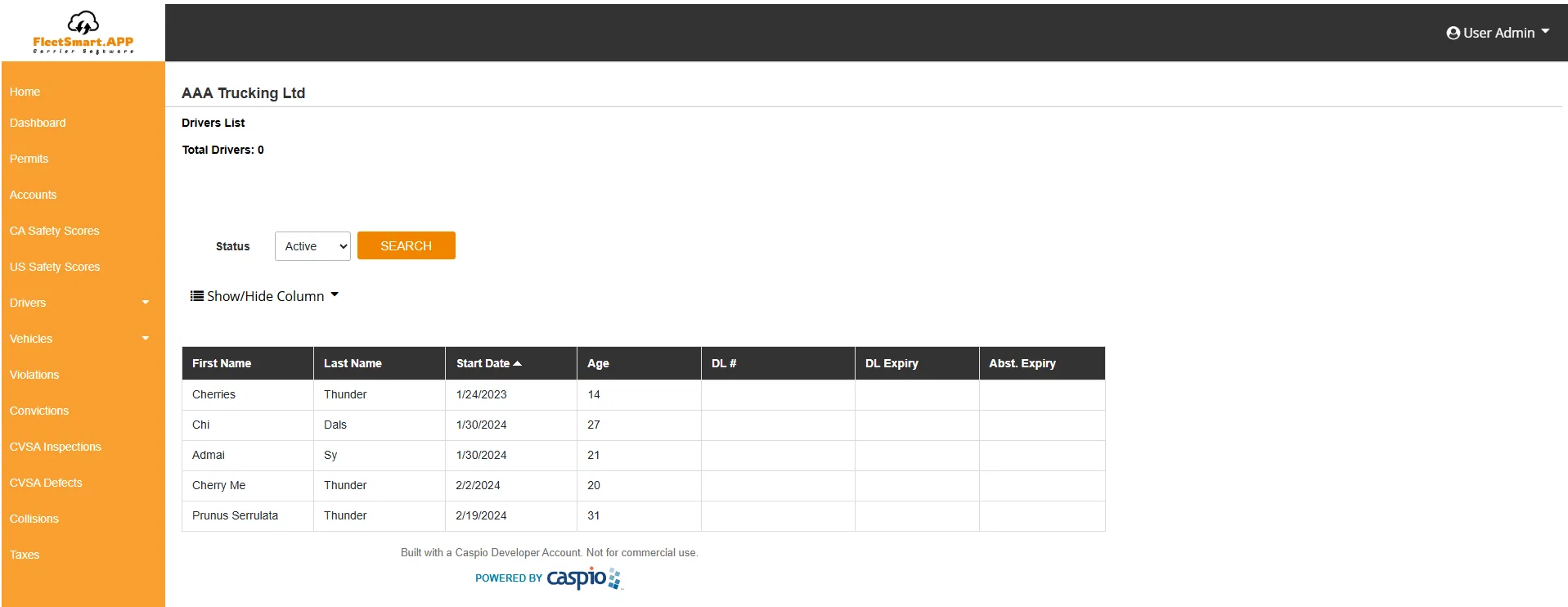
Project Overview
The original Fleet Management Database Application was developed as a web-based system for managing carriers, drivers, vehicles, maintenance, licences, safety, and compliance records. The project demonstrates database-oriented application development and the design of administrative interfaces for operational data.
Centralized records
Bringing key fleet and driver information into a structured application interface.
Administrative workflows
Helping users navigate records, review information, and work with operational data.
Reporting & monitoring
Organizing fleet information to support visibility into status, maintenance, and compliance.
Role & Technical Work
Web & Database Application Development. My work on the original application involved building and maintaining Caspio-based interfaces, using HTML, CSS, and JavaScript to customize the user experience and support operational workflows.
Structured application screens for presenting fleet records and administrative information through Caspio Bridge.
Customized web application presentation and responsive interface elements using HTML, CSS, and JavaScript.
Worked with fleet-related record categories, including vehicles, drivers, and carriers.
Troubleshooting layouts, maintaining features, and improving the usability of existing administrative tools.
Explore the Recreated Experience
To make the project explorable without a production Caspio deployment, I developed a separate, standalone frontend demonstration inspired by the original application. It showcases representative fleet-management workflows using fictional sample records.
Vehicle Management
Add, edit, delete, search, filter, and restore sample vehicle records. Dashboard and related views reflect the demonstration data.
Driver Management & Assignments
Explore sample driver records and demonstrate the relationship between drivers and assigned vehicles.
Maintenance & Compliance
Review fictional service schedules, add sample maintenance entries, and monitor illustrative licence, insurance, and inspection expirations.
Dashboard & Reports
View fleet summary counts, status breakdowns, distribution charts, and CSV exports based on sample records.
How to Explore the Demo
See fleet totals, status summaries, and distribution charts.
Add or edit fictional records to see application forms and validation in action.
Associate a sample driver with a vehicle and explore related records.
Browse maintenance and compliance information, then generate sample CSV exports.
Original Application vs. Portfolio Demo
Original Caspio application
- Built using Caspio Bridge and web technologies
- Centered on operational fleet records and administrative interfaces
- Included the application areas described in this case study
- Not publicly deployable through the original free/developer account
Independent demo
- Static HTML, CSS, and JavaScript
- Hosted through GitHub and Cloudflare Pages
- Fictional sample records and interactive frontend logic
- No live Caspio connection or real customer data
This page describes project experience and a portfolio recreation. It does not claim that the frontend demonstration duplicates all workflows or integrations of the original application.
See the workflow in action
Open the interactive demo to explore vehicle, driver, maintenance, compliance, and reporting workflows with sample data.